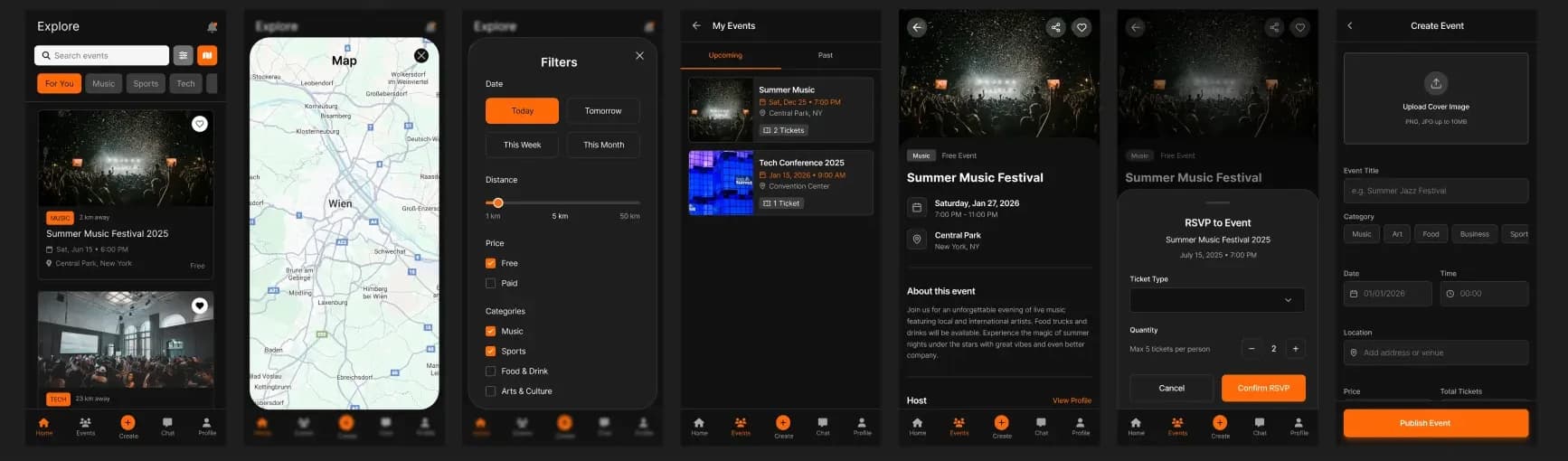
EventHub
UI/UX DESIGN CASE STUDY
EventHub: Safety-First Social Discovery
Role: UI/UX Designer (User Flow, Visual Design, Comfort Settings Architecture)
Tools: Figma
EventHub is a safety-first social platform designed to reduce social anxiety and increase trust. By integrating granular privacy controls and custom visibility comfort settings, it empowers members of niche communities to connect authentically and safely.
Design Problem
Current meetup applications often prioritize volume and public visibility, creating crowded and overwhelming digital spaces. Users need a way to find like-minded people without exposing themselves to harassment or overwhelming social noise.
The Design Question
"How might we design a social discovery platform that prioritizes user safety and granular privacy controls to empower niche communities to connect authentically?"
Solution Overview
EventHub is a safety-first social platform designed to reduce social anxiety and increase trust. By integrating "Comfort Settings" directly into the onboarding process, users establish their boundaries before they ever interact. The app focuses on:
Pre-emptive Safety
Granular controls for profile visibility and message requests, ensuring users only see what they want.
Contextual Discovery
Location-based filtering that respects user privacy zones while still allowing for meaningful local connections.